Photo shoot planner for iPhone: calendar, locations and reminders
A shoot planner is a calendar where every shoot has more than a date: a start and end time, the client, the exact address and reminders. Plan in hours, not “Saturday”: then you can tell whether you’ll make it from one location to the next and whether there’s time left to edit. Write down the address with its details — the floor, the door code, parking — so you’re not digging through chats on the way. And set two reminders: the evening before, to get ready, and a few hours before you start, to leave on time.
In Luna Shoots the calendar shows booked and free days, and every shoot has its time, a location with directions in Google Maps and reminders.
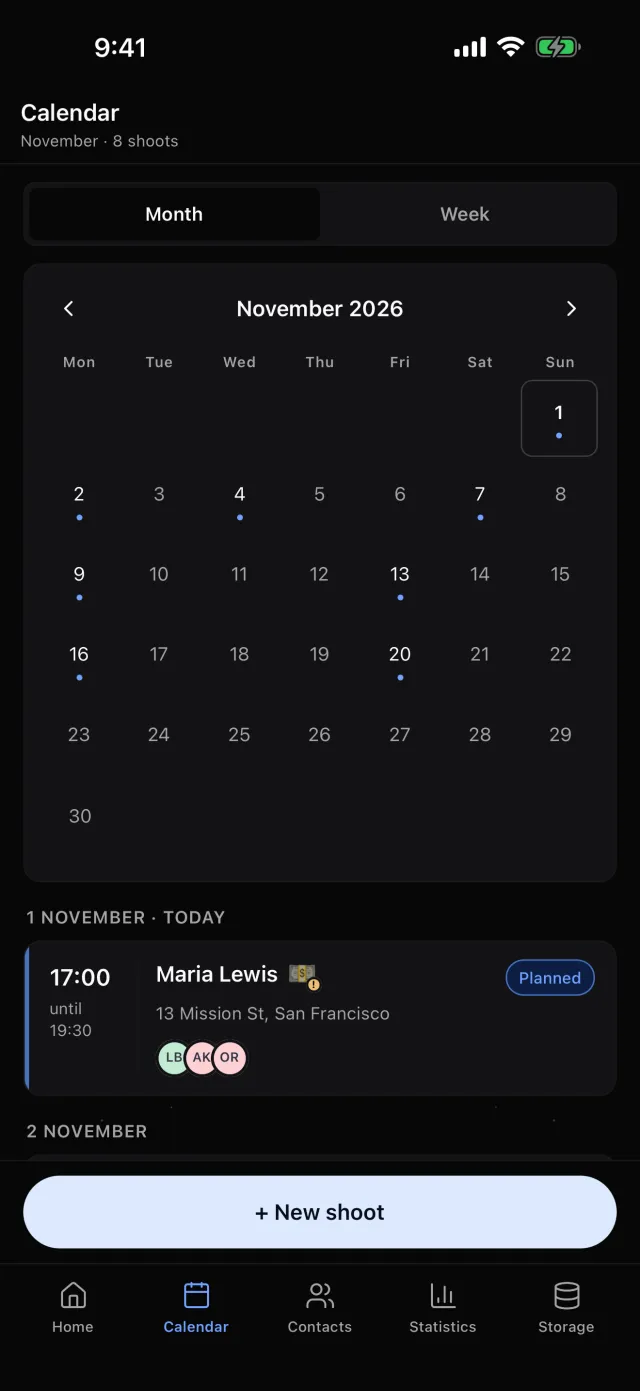
How to add a shoot in a minute
Three things put a shoot in your plan: who the client is, when you start and when you finish. The rest — location, price, crew — can wait, but set the end time straight away: without it you can’t tell whether a second shoot fits that day.
Luna Shoots:New shoot — the client from your contacts, the date on the calendar, the hours on one grid, the location. Or type or say one sentence to the assistant LU, and it prepares a draft of the shoot for you to check and save.
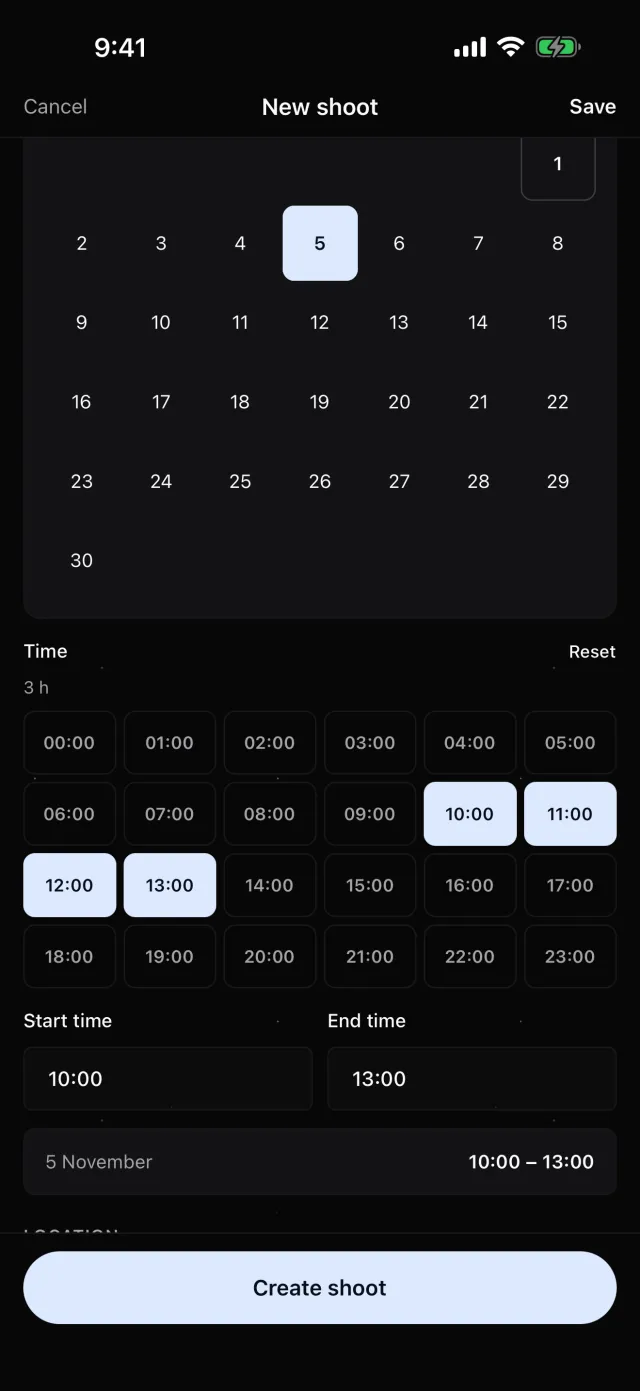
How not to book shoots back to back
Leave time between shoots for travel, for changing location and for the one before running late. An hour is a sensible minimum in a city. Look at the whole week: you’ll see which days are overloaded and where there’s room for a new job.
Luna Shoots:the calendar has Month and Week views. If there’s less than an hour between shoots, the day’s list says “Less than an hour after the previous one”, and if the time overlaps another shoot, the form warns you before you save.
Locations you don’t have to look up every time
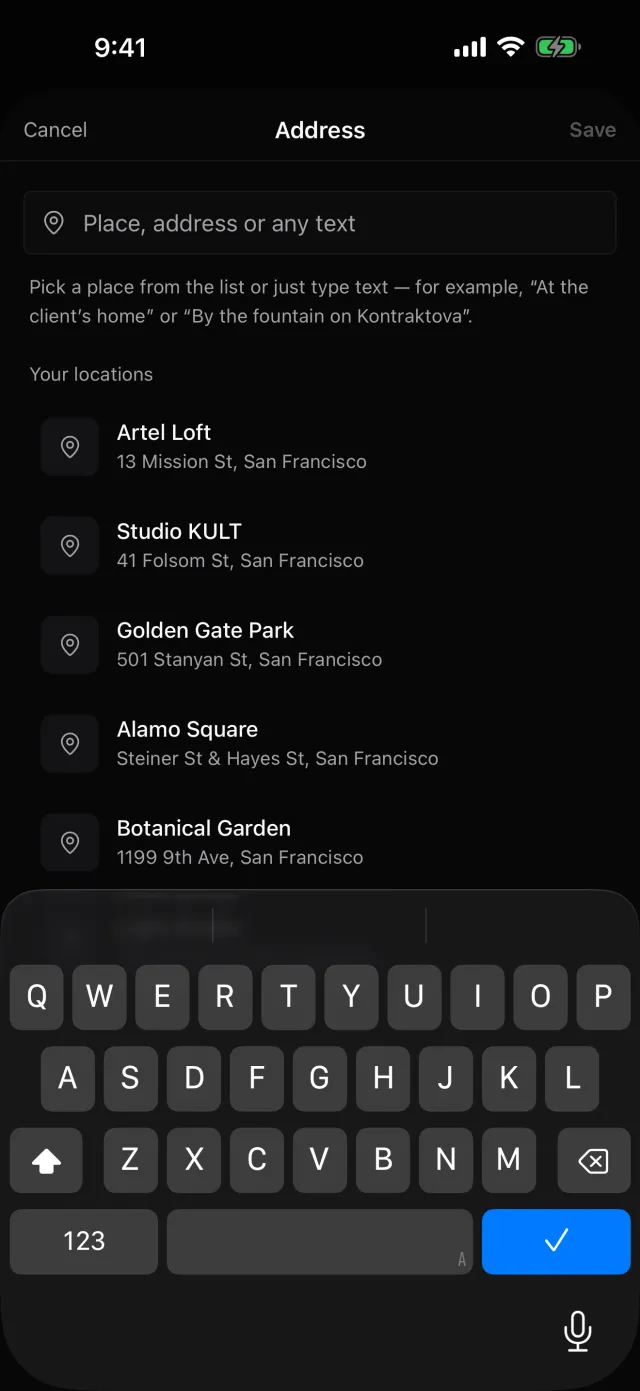
The studios and parks you shoot at often should be at hand with their exact address. And the way there matters not only to you but to your crew and client.
Luna Shoots:address suggestions as you type, and Your locations from past shoots. Each address has Details — the floor, the door code, parking. Directions opens Google Maps in one tap — for you, your crew and your client.
Reminders that actually help
Two reminders are worth having: the evening before — to see what’s tomorrow and charge your batteries — and a few hours before you start — to leave on time. Any more and you stop noticing them.
Luna Shoots:an Evening summary of tomorrow’s shoots (20:00 by default, you can change the time) and Before a shoot — 1, 2 or 3 hours ahead. Plus a reminder the day before a delivery deadline.

How this differs from your phone’s calendar
A calendar knows the date. A shoot planner keeps the client, price, crew, references and finished photos together — and gives you a link anyone working on the shoot can open.
Questions
Is there an Android version?
For now the app is iPhone only. The links for your client and crew open on any phone.
Is there a web version?
Yes, at app.lunashoots.com. You create your account in the iPhone app, and on your computer you sign in by scanning a QR code with your phone.
How much does it cost?
The first 14 days are free. Then a subscription on the App Store; the price depends on your country — you see the exact one in the app before you subscribe.