How to send RAW files to a client by link
To send RAW files to a client, upload them to cloud storage, sort them into folders and send one link where the client can look through and download everything without signing up. Email and chat apps don’t work here: a single RAW file is tens of megabytes, a shoot is tens of gigabytes, and most messengers cap file size or compress photos. Before you send it, decide how long the link stays open — so the files don’t sit there forever taking up space — and make sure the client can see what’s in a folder, not just a list of names like IMG_4121.CR3.
In Luna Shoots a shoot’s raw files live in folders, with thumbnails even for CR3, NEF, ARW. Your client opens them by the shoot’s link for as long as you set.
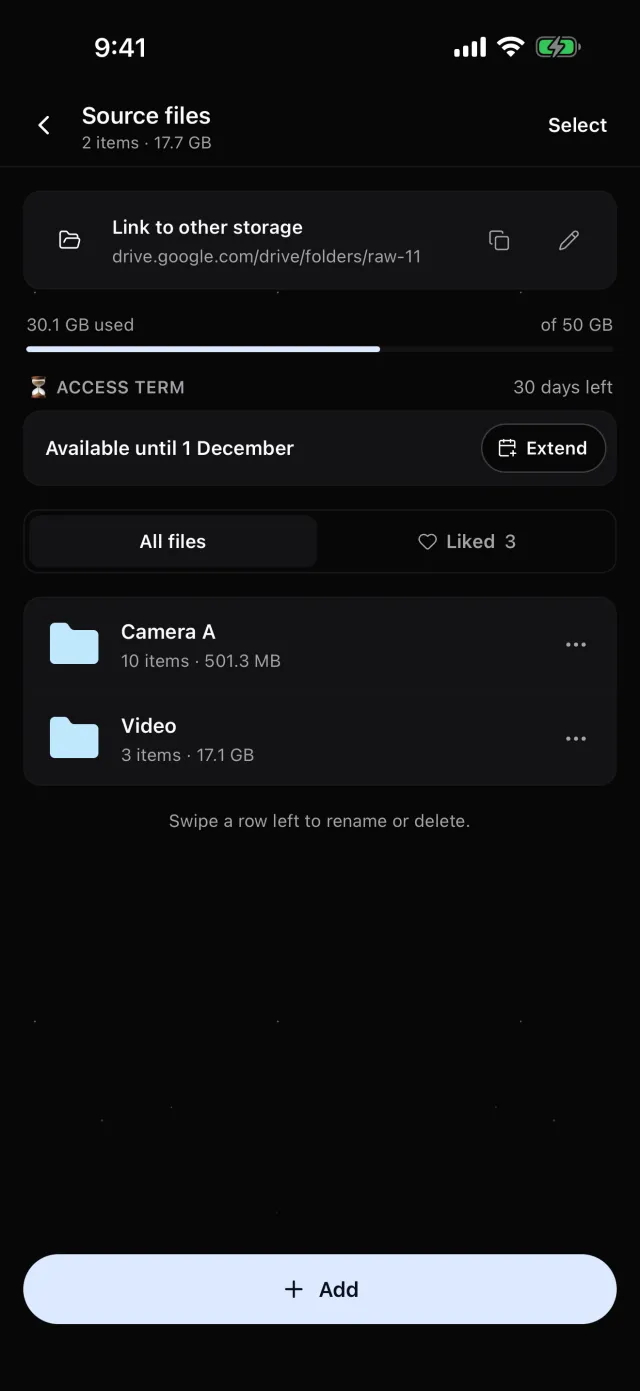
How to organise the files
Your client doesn’t know how you shot, so the structure has to explain itself:
- A folder per camera or day — “Camera A”, “Day 1”.
- Video on its own — it’s heavy and often downloaded separately.
- Clear names — instead of “New folder (3)”.
Luna Shoots:folders and subfolders, rename and delete with a swipe, select several files at once. Any file works — RAW, JPEG, video, documents.
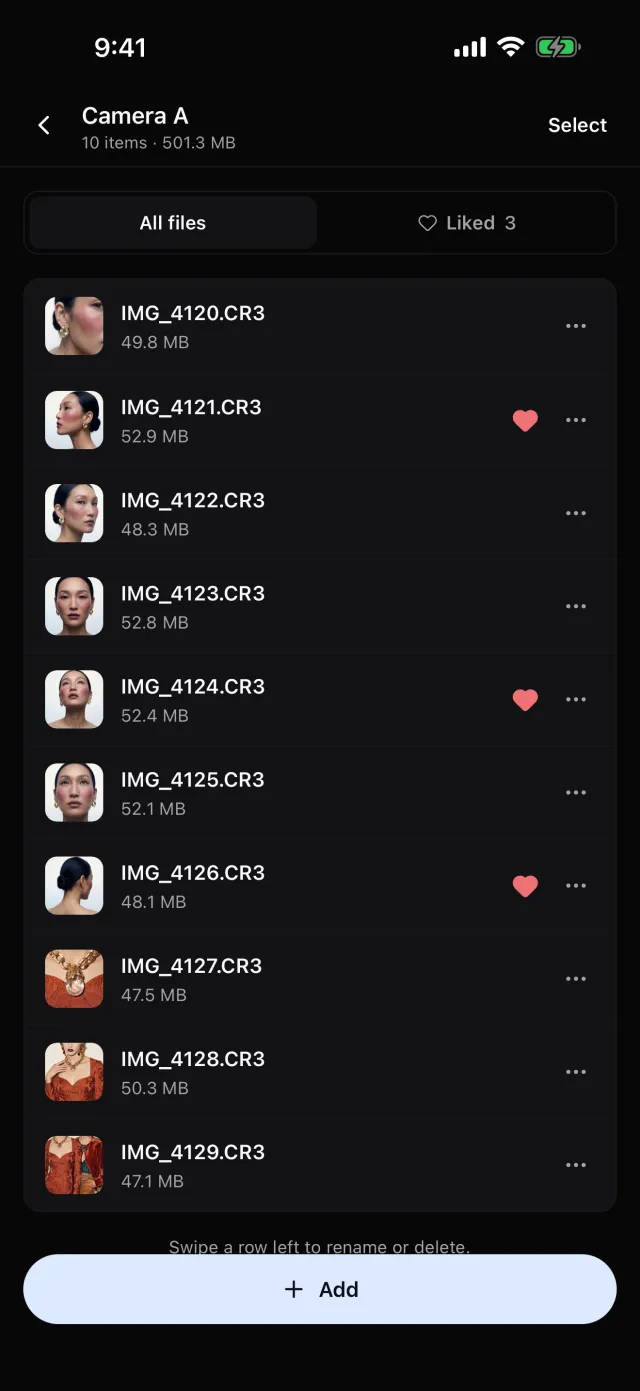
How to upload large files
Tens of gigabytes go up more reliably from a computer on a steady connection. A phone is handy for a few files right after the shoot — as long as the upload doesn’t stop when you leave the app.
Luna Shoots:in the web version at app.lunashoots.com, add files or whole folders, or drag them into the window. On the iPhone, from Photos or Files, in their original format; uploads carry on in the background. Storage: 50 GB with Luna Shoots, 200 GB with Luna Shoots PRO.
What your client gets
One link that shows the same folders you see, where they can download one file, a whole folder or everything at once — no archives to unzip.
Luna Shoots:your client opens the shoot by link in a browser — on a phone or a computer, no app and no sign-up. They browse the folders, open frames full screen and download a file, a folder or Download all. Files arrive exactly as you uploaded them — uncompressed.
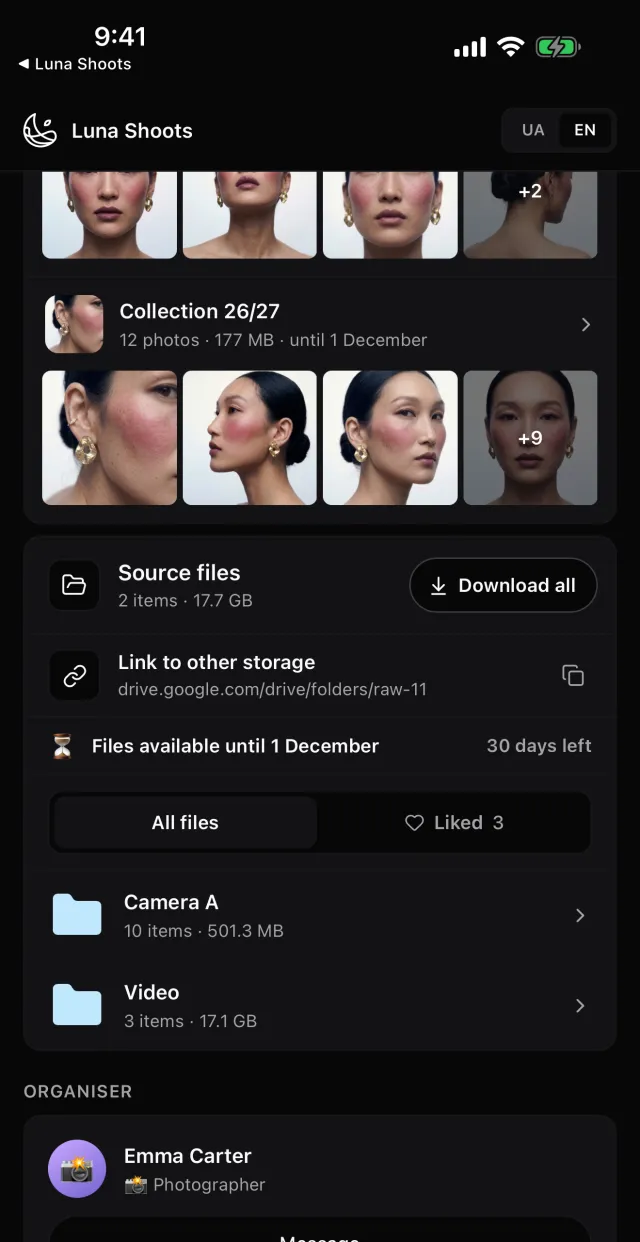
How long to keep the link open
A term keeps both sides on track: your client knows the date to collect the files by, and you don’t pay for storage for years. Tell your client the date along with the link.
Luna Shoots:access lasts 30 days from the first upload. You can extend it by 7, 14 or 30 days, limit it, remove the term or reopen it after it closes. Your client sees “Files available until …”, and you get a warning before the files are deleted.
When the files are already on another drive
Don’t upload the gigabytes twice. It’s enough that your client finds the link to them in the same place as the rest of the shoot.
Luna Shoots:paste the address into Link to other storage — your client sees it on the shoot page next to the files.
Questions
Which formats get a thumbnail?
JPEG and PNG, HEIC from an iPhone, and camera RAW files with an embedded JPEG preview — CR3, NEF, ARW and others. Other files show their format’s icon.
Are the files compressed?
No. Your client downloads the same file you uploaded.
Does my crew see the files?
No. A crew member’s link carries none of the shoot’s files.
What happens if I cancel my subscription?
Everything you’ve created stays, and the links you’ve sent keep working.