How to brief a photoshoot crew without group chats
To brief a crew without three group chats, give each person one message that holds everything: the date, call time and wrap, the exact address with directions, their role, what to prepare, the references and who else is on set. Productions call it a call sheet. Send it to each person on their own and ask them to confirm — then keep a simple list in front of you: who’s confirmed, who can’t make it, who hasn’t answered. If the plan changes, you edit one place instead of messaging everyone again. “Can you send the address again?” and “what time are we starting?” stop coming.
In Luna Shoots each crew member gets their own link to the shoot: date, time, the location with directions, notes for the crew, references and the crew. They tap «I will be there», and you see it right away.
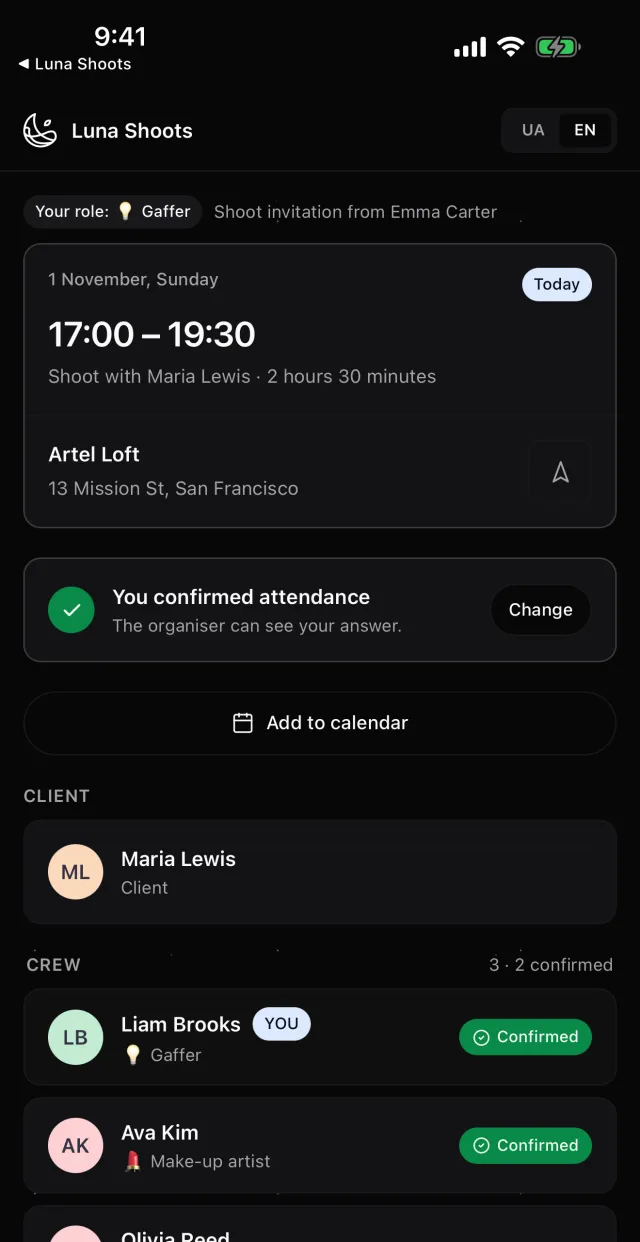
What everyone on the crew needs to know
The minimum, or someone will ask again:
- Date, call time and wrap — so the make-up artist knows when to start and the model when they’re free.
- Address with directions and details — the floor, the door code, where to park.
- Their role — especially for someone working with you for the first time.
- What to prepare — the look, props, gear.
- References — light, poses, style, so everyone sees the same picture.
- Who else is on the crew — names, roles and contacts, so they can sort things out without you.
Why a group chat doesn’t work
In a group chat the important parts sink under the discussion: the address sent on Monday is a hundred messages up by Thursday. Someone added later doesn’t see the history. And if the client is in the chat, they read what was meant for the crew. A brief for each person and separate notes for the client solve all three.
Luna Shoots:separate notes for the crew and for the client — each sees only their own. The client sees the crew (names, roles, contacts) but never the crew’s notes or your notes about a crew member.
How to get a yes from everyone
Don’t take an “ok” in a chat as a confirmation. Ask each person to answer plainly — in or out — and say by when you need it. Ask the quiet ones directly: better to hear a no a week ahead than an hour before the shoot.
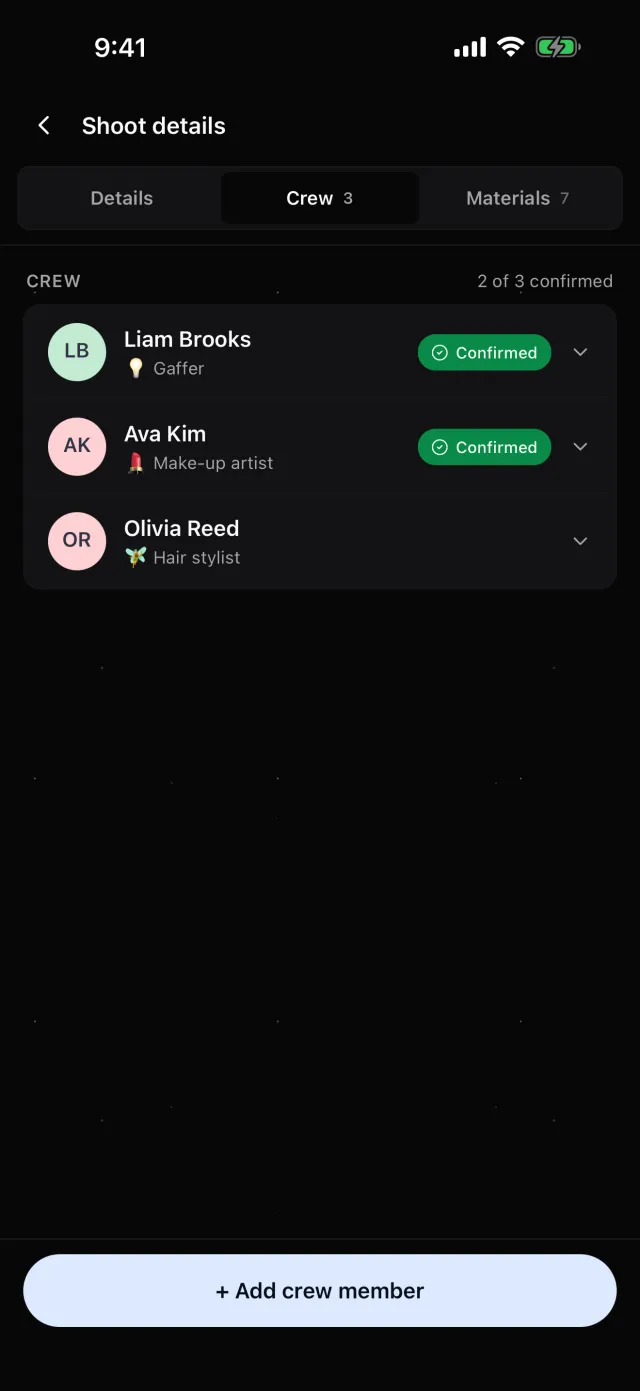
Luna Shoots:on their link a crew member taps «I will be there» or «I can’t make it», and can change the answer later. Next to their name you see Pending, Confirmed or Declined, and new answers arrive in the bell on Home.
How to put a crew together fast
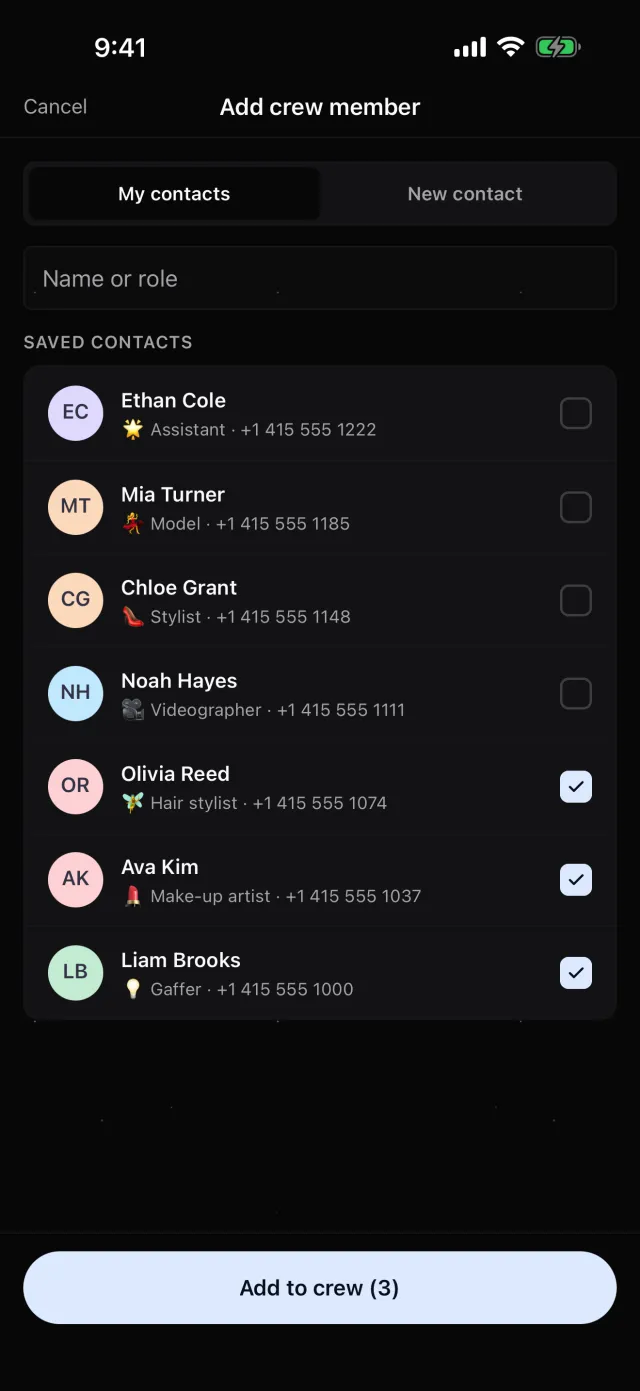
Keep the people you work with often in one list with their roles — then a crew for the next shoot comes together in a minute, not from searching through chats.
Luna Shoots:add crew from My contacts — several at once — or from your phone’s contacts, with a role: make-up artist, stylist, model, gaffer, assistant or your own. You can add the crew right on the New shoot form.
When the plan changes
Change the date or address where everyone reads it, and send the crew one short “please check, the time has changed”. If someone is no longer on the shoot, make sure they’re not left with the current address and details.
Luna Shoots:edit the shoot and every crew member’s link shows the new date and address — nothing to resend. When you remove someone from the crew, their link stops working.
Questions
Does my crew need to install the app?
No. They open the shoot by link in a browser — nothing to download, no sign-up.
Will my client see the crew’s notes?
No. Each sees only their own notes: the client the client’s, the crew the crew’s.
Does the link open on Android?
Yes. The photographer’s app is iPhone only; the links for your client and crew open on any phone.
How much does it cost?
The first 14 days are free. Then a subscription on the App Store; the price depends on your country — you see the exact one in the app before you subscribe.